 Seyare
Get special offer from Afina Browser
Get 20% discount on all plans except Max
When a team manages dozens or hundreds of accounts, a regular browser with several user profiles is no longer enough. Sessions, cookies, extensions, proxies, and environment settings need to remain separated, while repetitive actions should follow a consistent workflow. Without a dedicated system, daily operations quickly turn into a mix of spreadsheets, local folders, disconnected scripts, and manual checks.
Afina Browser brings these tasks into one workspace. It is an antidetect browser and automation platform for managing isolated browser profiles, proxies, digital fingerprints, scripts, tasks, team processes, and external integrations.
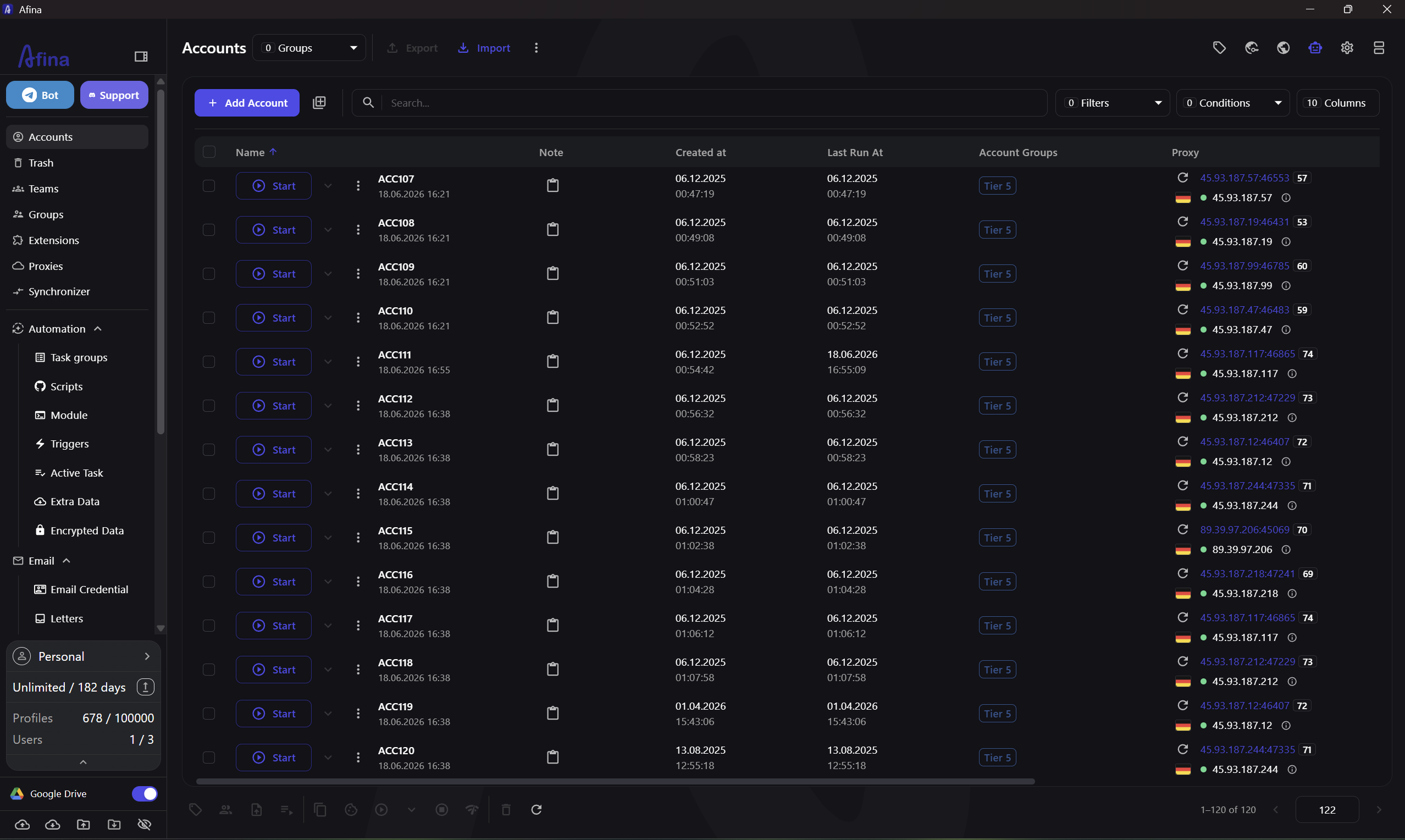
What Is Afina Browser and How Does It Work?
Afina Browser creates a separate browser environment for every profile. Each profile stores its own cookies, sessions, cache, local data, extensions, proxy configuration, and digital fingerprint parameters. This helps keep working environments separated across projects, clients, and accounts.
Profiles can be organized with groups, tags, and notes. They can also be imported in bulk, launched, stopped, and included in automated workflows. At scale, this structure matters for more than convenience. The profile configuration, network environment, and task history remain connected to the correct working environment.
| Profile component | How Afina organizes it | Practical benefit |
|---|---|---|
| Cookies and sessions | Stored separately inside each profile | Reduces the chance of mixing account sessions |
| Proxy | Assigned to a specific profile | Makes the network environment of each account easy to identify |
| Browser fingerprint | Configured within the individual profile | Keeps browser parameters separated between environments |
| Extensions and local data | Isolated inside the profile | Different projects can use their own tools and stored data |
| Groups, tags, and notes | Used to structure the workspace | Makes profiles easier to find and hand over between operators |
| Scripts and tasks | Launched on selected profiles | Repetitive processes can follow one standardized workflow |
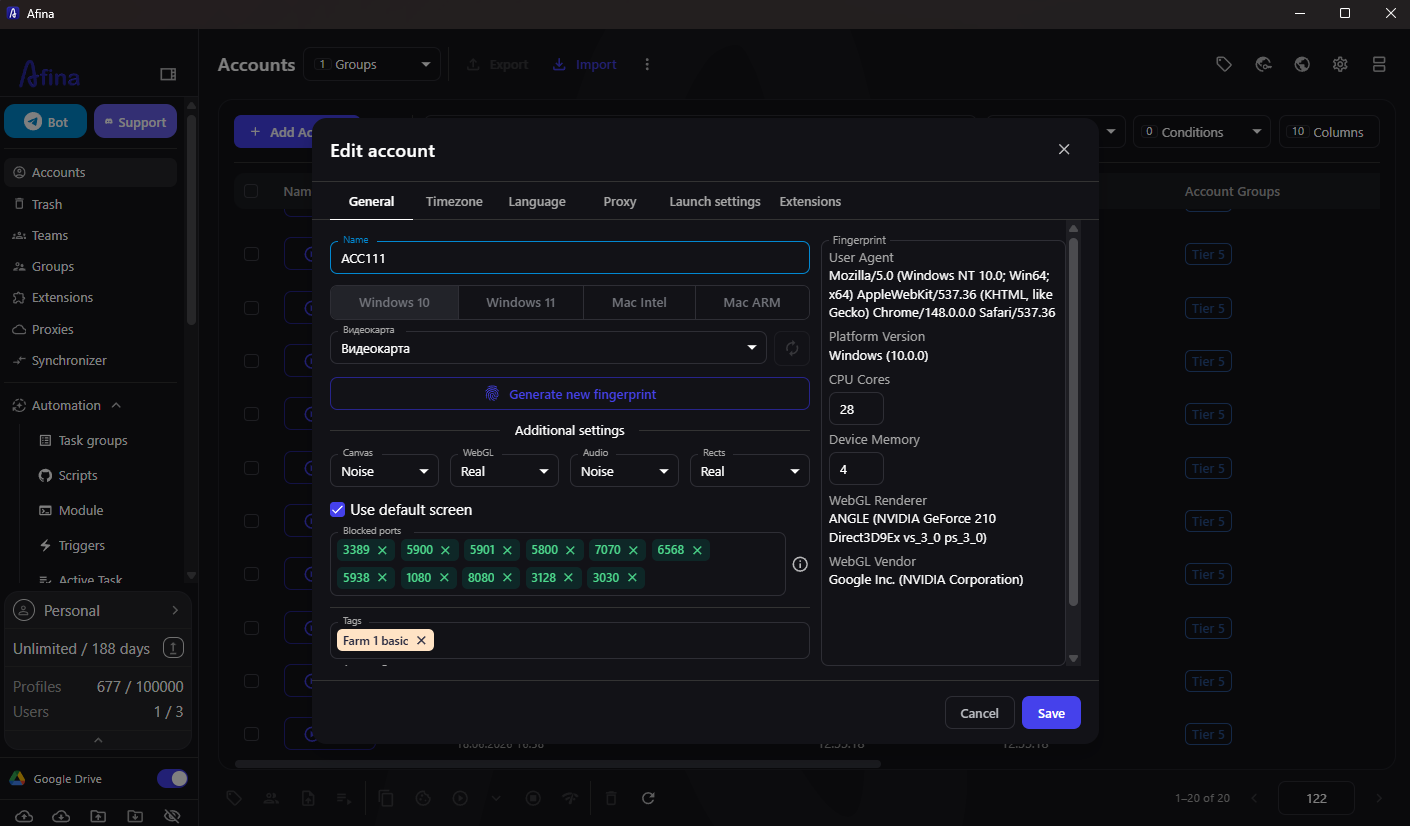
Core Afina Browser Features
Afina is not limited to launching isolated browser profiles. The platform contains tools for the full operational cycle, from creating an environment and assigning a proxy to automating actions and monitoring task execution.
Key platform capabilities include:
- Isolated browser profiles. Every profile has its own cookies, sessions, cache, extensions, local data, proxy, and launch settings
- Browser fingerprint management. Afina provides control over Canvas, WebGL, Audio, fonts, timezone, language, and other environment parameters
- Built-in proxy manager. Proxies can be added, checked, imported, grouped, and assigned to individual profiles
- Visual RPA automation. Workflows are assembled on a visual canvas from ready-made blocks, allowing users to build basic automation without writing large amounts of code
- Scripts, modules, and triggers. More complex logic can use scripts, reusable JavaScript modules, and event-based or condition-based launches
- Tasks and execution monitoring. Afina supports queues, delayed launches, retries, active-session limits, and active task monitoring
- API and MCP Server. The platform can connect to external systems and AI agents for profile creation, workflow preparation, and task execution
- Team organization. Groups, tags, notes, tables, and access controls help divide responsibilities between operators
- Synchronizer. The same manual action can be mirrored across multiple open profiles when several windows require identical input
This makes Afina more than a browser with configurable fingerprint parameters. It functions as an operational workspace for recurring profile-based processes.
Proxy Management in Afina
A proxy inside an antidetect browser should not be treated as an isolated setting. The IP address, geolocation, timezone, language, WebRTC behavior, and browser parameters should form one consistent environment. Afina allows users to assign a proxy to a specific profile and check it before launching the browser session.
The platform supports HTTP(S) and SOCKS5 proxies. Compatible SOCKS5 proxies can also carry UDP traffic, which is relevant for QUIC, HTTP/3, and related network scenarios. Afina includes tools for checking proxies, geolocation, and the consistency of network parameters.
A practical Seyare and Afina workflow can look like this:
- Obtain the proxy host, port, username, and password from Seyare
- Add the proxy to the Afina proxy manager manually or import a proxy list
- Assign a separate proxy to the required browser profile
- Run a connection and geolocation check
- Confirm that the profile timezone and language match the intended workflow
- Save the profile and launch it manually or through an automated task
Important: UDP, QUIC, and HTTP/3 support depends on both sides of the connection. Afina can route supported traffic through SOCKS5, but the proxy server provided by the proxy service must also support UDP. Availability should be confirmed for the specific Seyare plan or proxy pool being used.
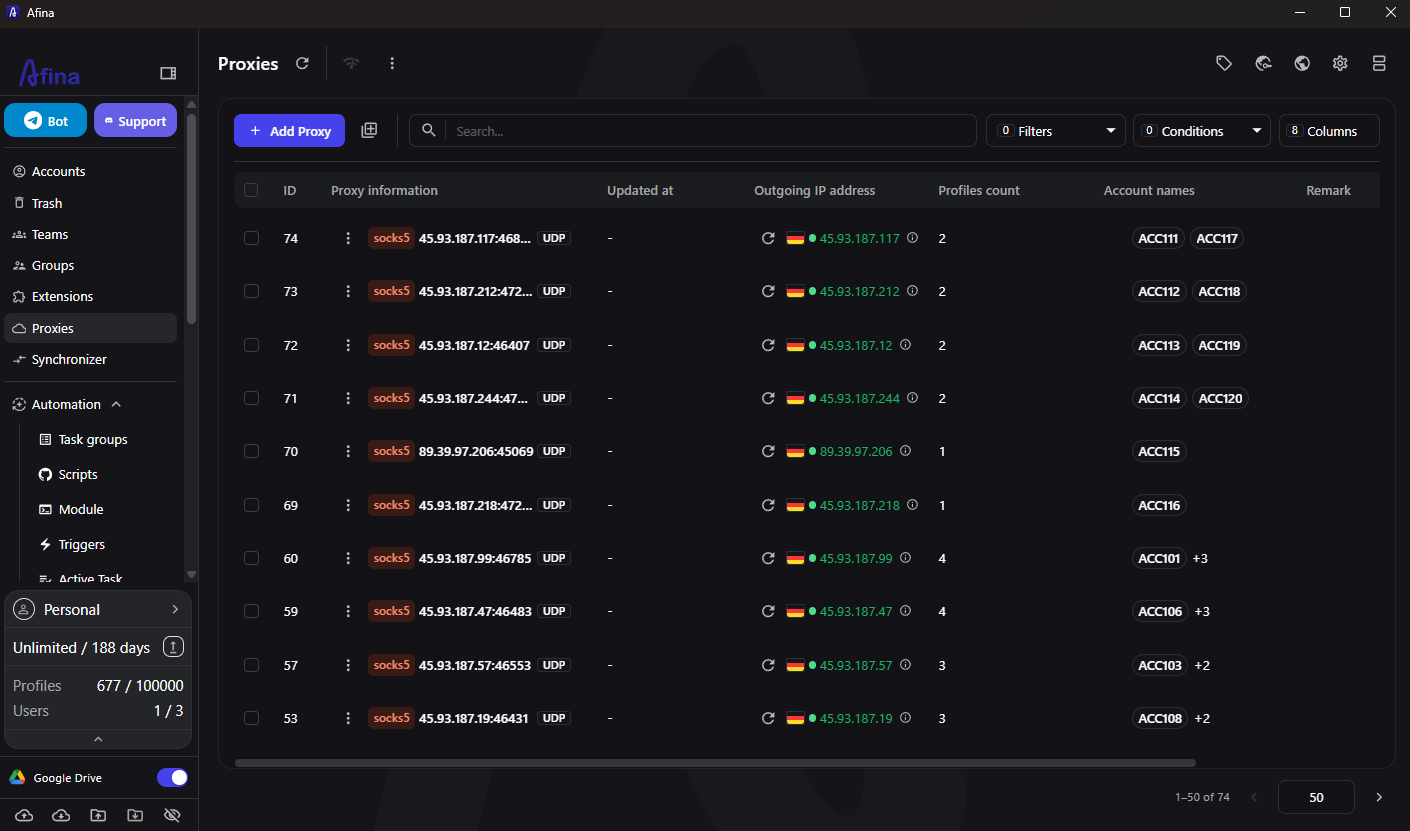
Browser Automation in Afina
Manual work only scales to a certain point. When the same sequence must be repeated across many profiles, most mistakes come from repetition rather than technical complexity.
Afina offers several automation levels, allowing users to select an approach based on the workflow and the technical experience of the team.
| Tool | Main purpose | Best suited for |
|---|---|---|
| Visual RPA builder | Clicks, text input, tabs, waits, navigation, and other browser actions | Users without advanced programming skills |
| Scripts | Repeatable workflows for selected profiles | Operators and automation specialists |
| JavaScript modules | Reusable logic inside more complex processes | Technical specialists |
| Triggers | Starting actions when an event or condition occurs | Teams with recurring operational processes |
| Tasks | Scheduling, queues, delays, retries, and execution control | Teams running workflows across many profiles |
| Synchronizer | Repeating one manual action across several open browser windows | Operators who need simultaneous profile control |
| Local API | Programmatic profile management and external integrations | Developers and internal technical teams |
| MCP Server | Profile and automation control through an AI agent | Teams incorporating AI into daily operations |
For example, a team can create a profile group, assign proxies, prepare a workflow that opens specific pages, launch it through tasks, and monitor execution in the active processes section. If part of the workflow must be reused, the logic can be stored as a module.
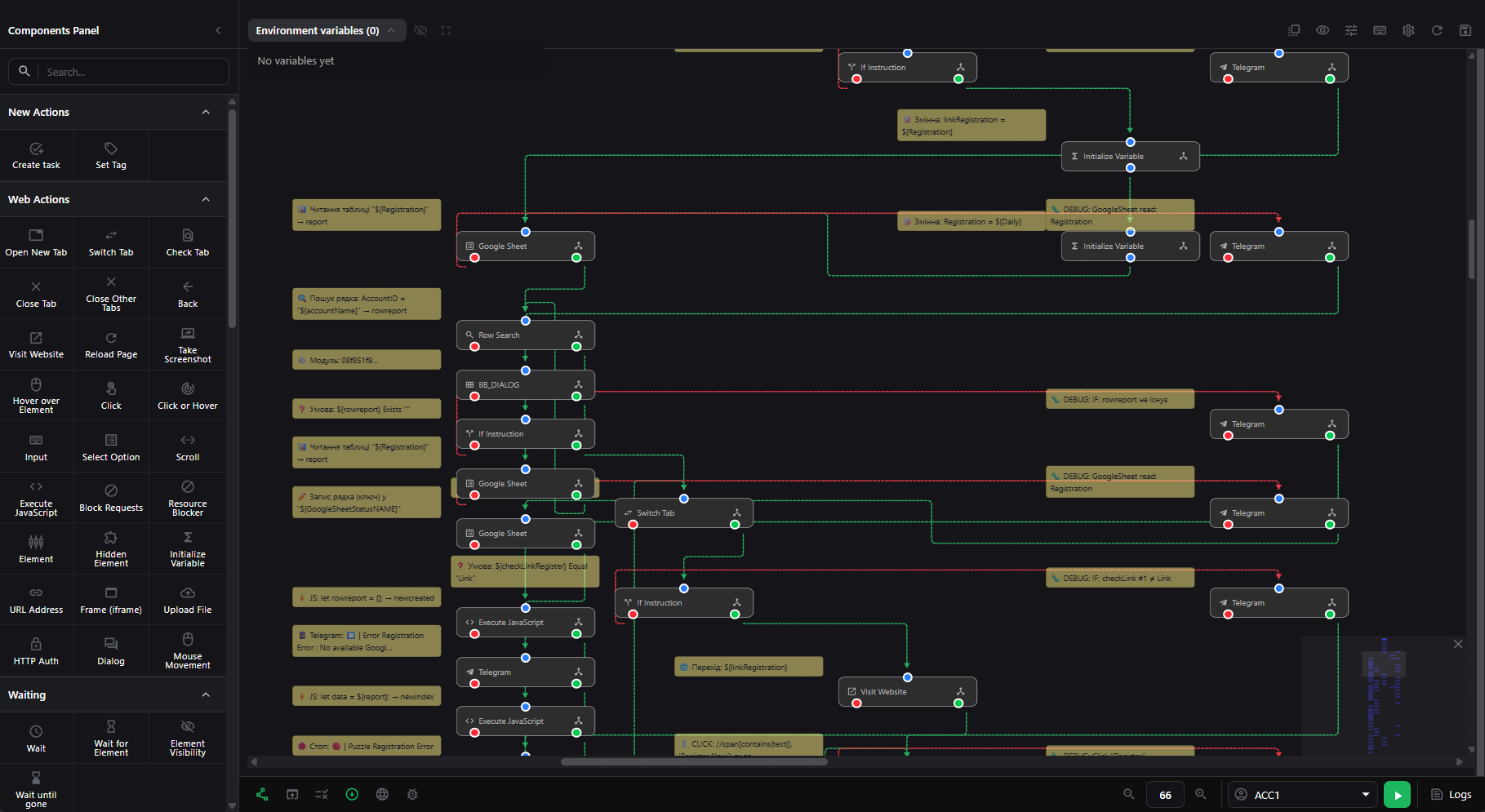
Afina MCP Server: Browser Control Through an AI Agent
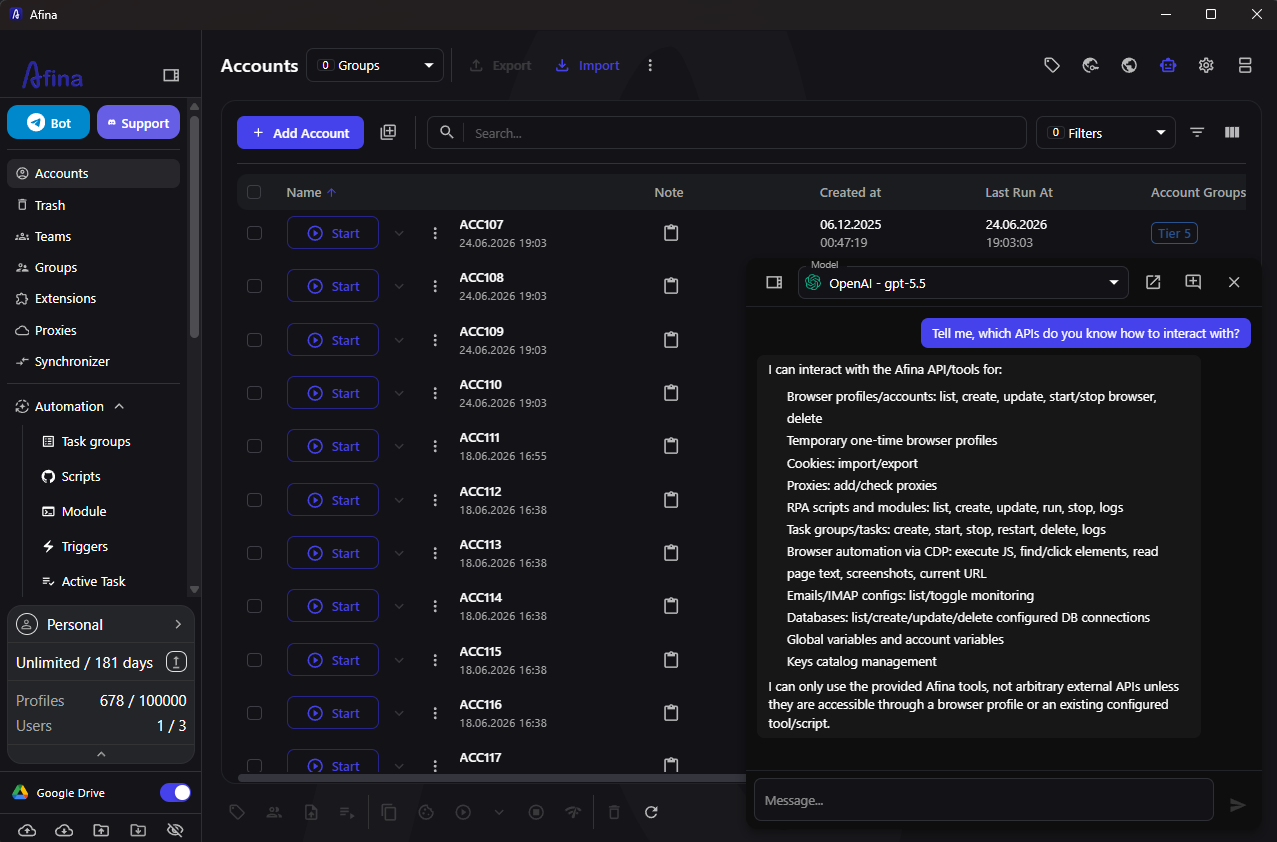
A separate part of the platform is the Afina MCP Server. MCP connects an AI agent with the browser workspace. Instead of manually moving between several sections, an operator can describe the required action in natural language, and the agent can use the available Afina tools.
Through MCP, an AI agent can:
- create browser profiles
- prepare scripts and modules
- generate recurring tasks
- launch tasks on selected profiles
- retrieve information from execution logs
MCP does not replace the regular interface, visual RPA, or API. It adds another control layer, particularly useful for teams already using AI agents to prepare workflows, process data, or coordinate operational tasks.
Who Is Afina Browser For?
Afina is designed for users who treat each browser profile as a separate working environment rather than simply another Chromium window.
Typical use cases include:
- affiliate and media buying teams organizing profiles, proxies, and repetitive processes
- digital agencies and SMM teams working across different clients and projects
- e-commerce teams managing several stores, dashboards, or regional environments
- QA specialists and research teams testing websites, localization, and user flows
- Web3 and crypto teams that need structured profiles and repeatable automation
- automation specialists combining visual RPA, JavaScript modules, API access, and AI agents
- teams with large profile inventories where groups, tags, notes, tasks, and execution monitoring are important
Afina Browser Pricing
Afina offers several plans for different operating scales. Every plan listed below includes API access. Prices and limits are shown as of July 2026:
| Plan | Profiles | Monthly price | Additional user | API access |
|---|---|---|---|---|
| Lite | Up to 20 | $9 | Not specified | Yes |
| Starter | Up to 50 | $19 | Not specified | Yes |
| Base | Up to 100 | $29 | $9 per month | Yes |
| Standard | Up to 300 | $69 | $20 per month | Yes |
| Max | Up to 1,000 | $129 | $20 per month | Yes |
A small operation can begin with a limited profile set, test the proxy setup, create one repeatable workflow, and scale the workspace only after the process is stable.
How Afina and Seyare Work Together
Afina and Seyare cover different parts of the same workflow. Seyare provides the proxy infrastructure, while Afina is used to create browser profiles, assign proxies, configure the browser environment, and launch manual or automated tasks.
The basic structure is:
Seyare proxy → Afina proxy manager → isolated browser profile → environment check → manual work or automated task
This model keeps proxy credentials connected to the correct browser profile instead of storing them in a separate spreadsheet without account context. Inside Afina, operators can see which network environment belongs to a profile, which fingerprint settings are used, and which tasks have been launched on it.
Frequently Asked Questions
How Is Afina Different From a Regular Browser With Multiple Profiles?
Regular browser profiles mainly separate browsing history, cookies, and some user settings. Afina creates managed isolated environments with separate proxies, fingerprint parameters, extensions, local data, groups, tags, and automation tools.
Which Proxy Types Can Be Used in Afina?
Afina supports HTTP(S) and SOCKS5 proxies. UDP traffic can work through SOCKS5 when the selected proxy server also supports UDP.
Can Users Automate Work Without Programming?
Yes. Afina includes a visual RPA builder for no-code workflow construction. More advanced processes can also use scripts, JavaScript modules, triggers, and tasks.
What Can the Afina MCP Server Do?
MCP allows an AI agent to use Afina tools to create profiles, prepare scripts and modules, generate and launch tasks, and read execution logs.
Does Afina Support Team Workflows?
Yes. The platform includes groups, tags, notes, structured profile tables, additional users on supported plans, and tools for organizing work between operators.
Can Profiles Be Migrated From Another Antidetect Browser?
Afina includes tools for importing profiles and related data from other browsers. The exact data that can be transferred depends on the export format provided by the original product.
Summary
Afina Browser combines isolated profiles, browser fingerprint management, proxy tools, visual automation, scripts, tasks, API access, MCP Server, and team organization in one workspace.
For Seyare users, the practical value is a clear operating sequence: add a proxy to the Afina proxy manager, assign it to a specific profile, verify the environment, and then use that profile manually or include it in an automated workflow.
Current Afina Discounts and New User Offers
Afina currently provides several ways to reduce the cost of starting or expanding a workspace.
Promo Codes for Paid Plans
The following promo codes can be applied to Afina subscriptions:
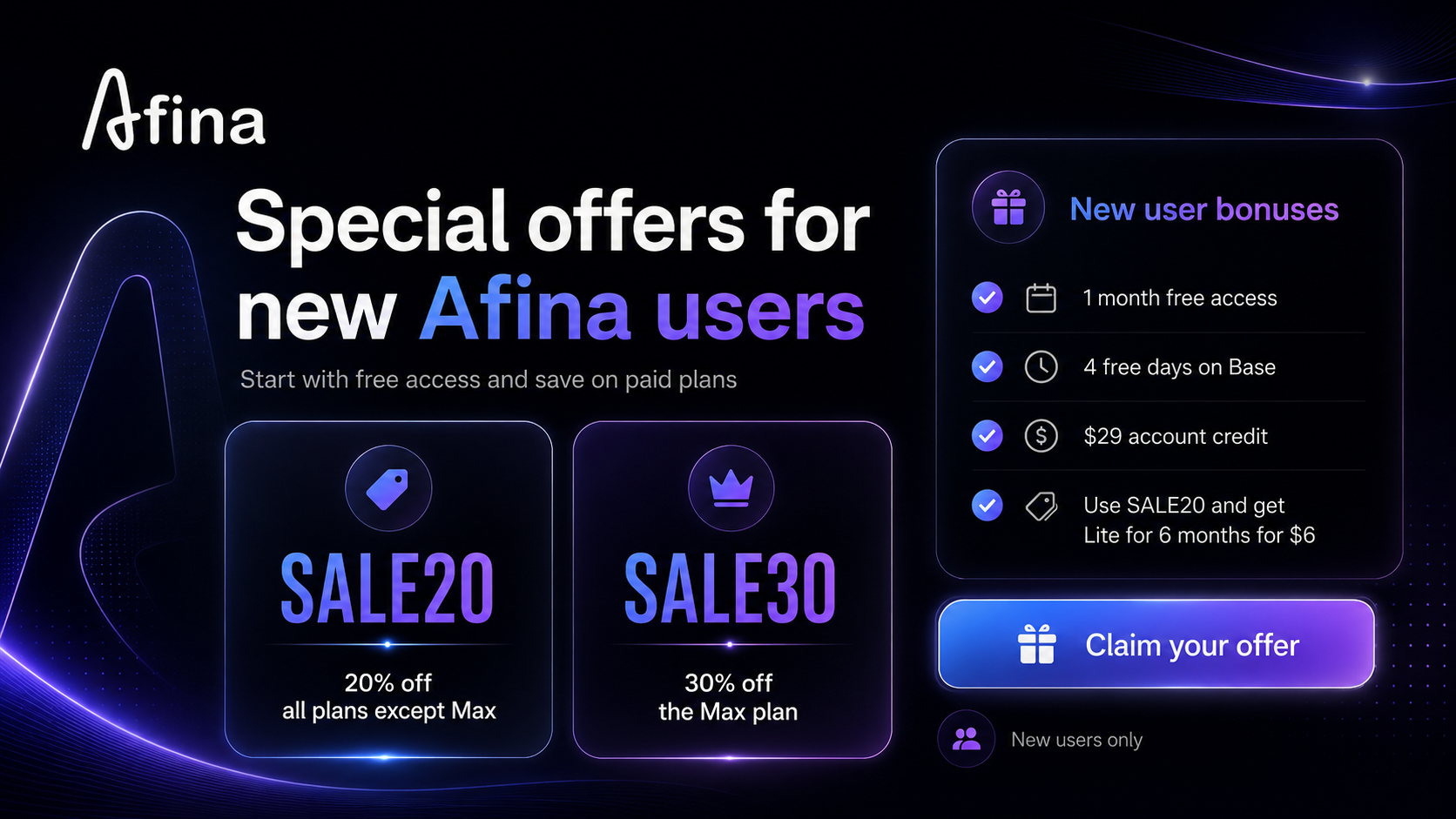
- SALE20 gives a 20% discount on all plans except Max
- SALE30 gives a 30% discount on the Max plan
These codes make it possible to choose a plan according to the required profile limit while reducing the subscription cost.
One Month of Afina Free for New Users
New Afina users can claim one month of access free of charge through the dedicated offer page:
Claim one month of Afina for freeThis offer is available only to new users.
Four Free Base Days and a $29 Account Balance
Afina also runs a separate onboarding promotion for new users:
- Register a new Afina account
- Receive four days of free access to the Base plan
- Receive $29 in account balance that can be used toward a subscription
- Apply the SALE20 promo code
- Use the balance to activate the Lite plan for six months for only $6
Users who have already received free Afina access are not eligible for this promotion.
Download Afina Browser and start with a small profile set, one proxy type, and one repeatable workflow
Ready to test with real IPs?
Register now to get immediate access to our proxy pools.